


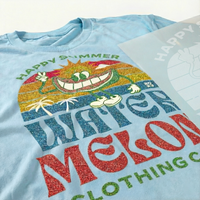
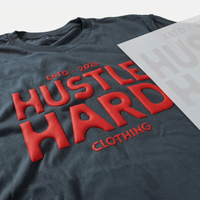
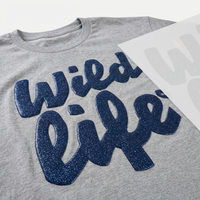

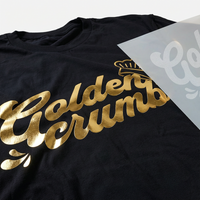
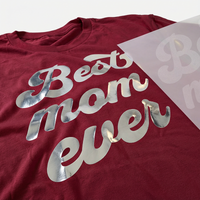

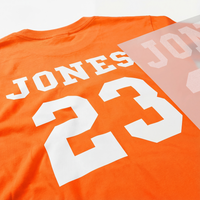




















Your DTF designs look amazing on the transfer film, but they're just not sticking to the garment as they should. Adhesion problems can turn a simple project into a frustrating experience, whether you're dealing with edge lifting, incomplete adhesion, or transfers that peel off in the wash.
While DTF transfers are remarkably reliable when applied correctly, small deviations in temperature, pressure, or technique can affect your results. The good news? Most adhesion issues trace back to a handful of common causes that you can easily fix.
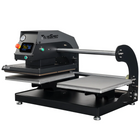
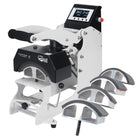
In this article, we troubleshoot the top reasons why your DTF transfer might not be sticking properly and offer practical solutions to get your projects back on track. Whether you're pressing with professional heat press equipment or working with a household iron, these tips will help you achieve durable, professional-quality transfers every time.
Table Of Contents
- Incorrect Temperature Settings
- Insufficient Pressure
- Rushing The Peel
- Skipping The Second Press
- Pressing Over Garment Features
- Moisture In The Garment
- Surface Contamination
- Improper Storage Of Transfers
- Textured Or Treated Fabrics
- Incorrect Loading Technique
- Uneven Heat Press Surface
- Printing And Adhesive Issues
- Checklist For Perfect DTF Transfer Adhesion
- Stick To Success

Incorrect Temperature Settings
If parts of your design don't stick or peel off easily, temperature issues are often the culprits. Your heat source needs to consistently hit 310°F (155°C) to properly activate the adhesive. Running too cool means the adhesive never fully bonds with the fabric, while excessive heat risks scorching your garment.
Common signs of temperature problems include transfers that lift at the edges or designs that initially stick but peel after washing. Even heat presses with digital displays can show inaccurate readings—especially on cheaper models or equipment that's seen heavy use.
Check your actual operating temperature using an infrared thermometer or heat-sensitive test strips. These affordable tools remove the guesswork and help you dial in the perfect settings for consistent results. Learn the step-by-step process for checking the temperature on your heat press or home iron.
|
Pro Tip: Different fabrics may need slight temperature adjustments. While 310°F works great for cotton, synthetic materials like polyester often need lower temperatures to prevent scorching. Always test on a scrap piece of fabric before starting a production run. |

Insufficient Pressure
Even with perfect temperature, transfers won't stick properly without adequate pressure. That mysterious pressure adjustment knob on top of your heat press needs regular fine-tuning to maintain consistent results. Too little pressure can leave subtle gaps between your transfer and the fabric, preventing proper adhesion.
Your pressure settings aren't one-size-fits-all. Thicker garments like hoodies need different pressure than lightweight tees. Adding heat press pillows or silicone pads means adjusting your pressure to compensate for the extra layers.
You don't need fancy gauges to check your pressure. The simple paper test tells you everything: if you can easily slide a piece of paper out from under your closed press, your pressure's too light. Place paper strips at all four corners to check for evenness.
For more, check out our complete guide on how to check and adjust the pressure on a heat press.

Rushing The Peel
Even with Easy Peel transfers, you need at least five seconds of cooling time. Those few moments make the difference between a perfect transfer and one that lifts or stretches during peeling.
Peel smoothly while watching the design. If any part lifts, stop, lay it back down, and press again briefly.
Learn more about peeling techniques in our guide to hot vs. cold peel DTF transfers.

Skipping The Second Press
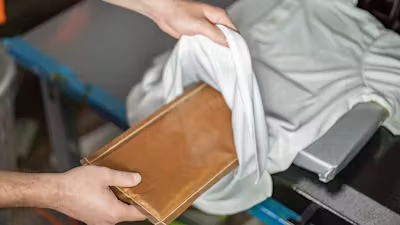
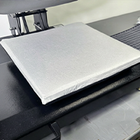
After peeling, cover your design with a guard sheet or silicone pad and press again. This second press improves durability and creates a soft, professional matte finish.
Using protective guard sheets or silicone platen covers helps the adhesive fully bond with the fabric fibers.
Press again for about 13 seconds using the same temperature and pressure.

A printable DTF pressing cheat sheet
Temperature, time, pressure and the second press, so every transfer sticks.
Pressing Over Garment Features
Buttons, zippers, and seams prevent even contact and can cause adhesion failures.
Heat press pillows allow raised areas to sink in, creating an even surface.
Learn more in our guide to pressing garments with zippers, buttons, and seams.

Moisture In The Garment
Moisture creates steam during pressing, preventing proper adhesion.
Pre-press garments for 5–10 seconds to remove moisture before applying your transfer.

Surface Contamination
Lint, dust, oils, and fabric pills can all interfere with adhesion.
Use a lint roller, masking tape, or fabric shaver to create a smooth, clean surface before pressing.

Improper Storage Of Transfers
Heat, humidity, and sunlight can degrade DTF transfers over time.
Store transfers flat in a cool, dry place with silica packets when possible. Learn more about proper DTF transfer storage.

Textured Or Treated Fabrics
Ribbed, waffle-knit, or coated fabrics can prevent full adhesion.
Always test first and adjust pressure carefully.

Incorrect Loading Technique
Heavier garments often require loading instead of laying flat to prevent bunching.
Learn when to load versus lay in our guide on loading vs. laying garments.

Uneven Heat Press Surface
Warped or uneven platens cause inconsistent adhesion.
Test with temperature strips and maintain your equipment regularly.
|
Pro Tip: Regular cleaning and maintenance prevent long-term platen issues and extend the life of your press. |

Printing And Adhesive Issues
Inconsistent printing, powder application, or curing can cause adhesion failures.
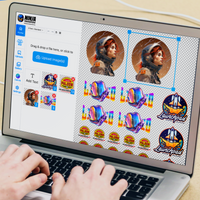
Using professionally produced transfers eliminates these variables. Learn more about professional DTF transfers.

Checklist For Perfect DTF Transfer Adhesion
Before Pressing
- Check temperature accuracy
- Verify pressure
- Remove lint and debris
- Pre-press to remove moisture
- Select the correct loading technique
- Use heat press pillows if needed
During Pressing
- Press at 310°F for about 13 seconds
- Use medium-high pressure
- Let cool for at least 5 seconds
- Peel slowly and smoothly
- Always complete the second press
Regular Maintenance
- Test platen heat consistency
- Store transfers properly
- Keep your workspace clean
- Adjust pressure for garment changes

Stick To Success
DTF adhesion issues are almost always fixable with the right process.
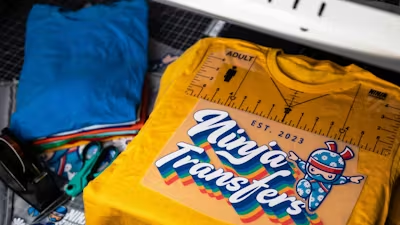
For reliable results, shop Ninja Transfers for premium DTF transfers and Ninja Blanks for quality apparel.
Dial in your workflow, and you'll get professional results every time.