
Price calculator
Price Calculator
3D Puff Transfers - 1 Color Print
Add a DTF Sample Pack to Cart - $0.01 - Add to Cart
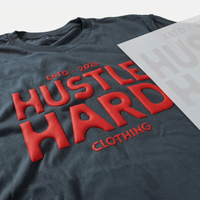
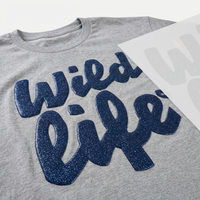
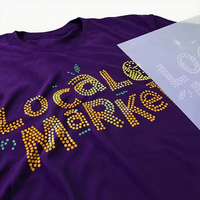
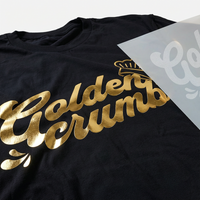
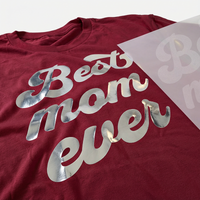
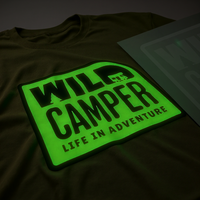
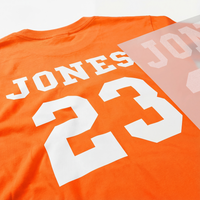
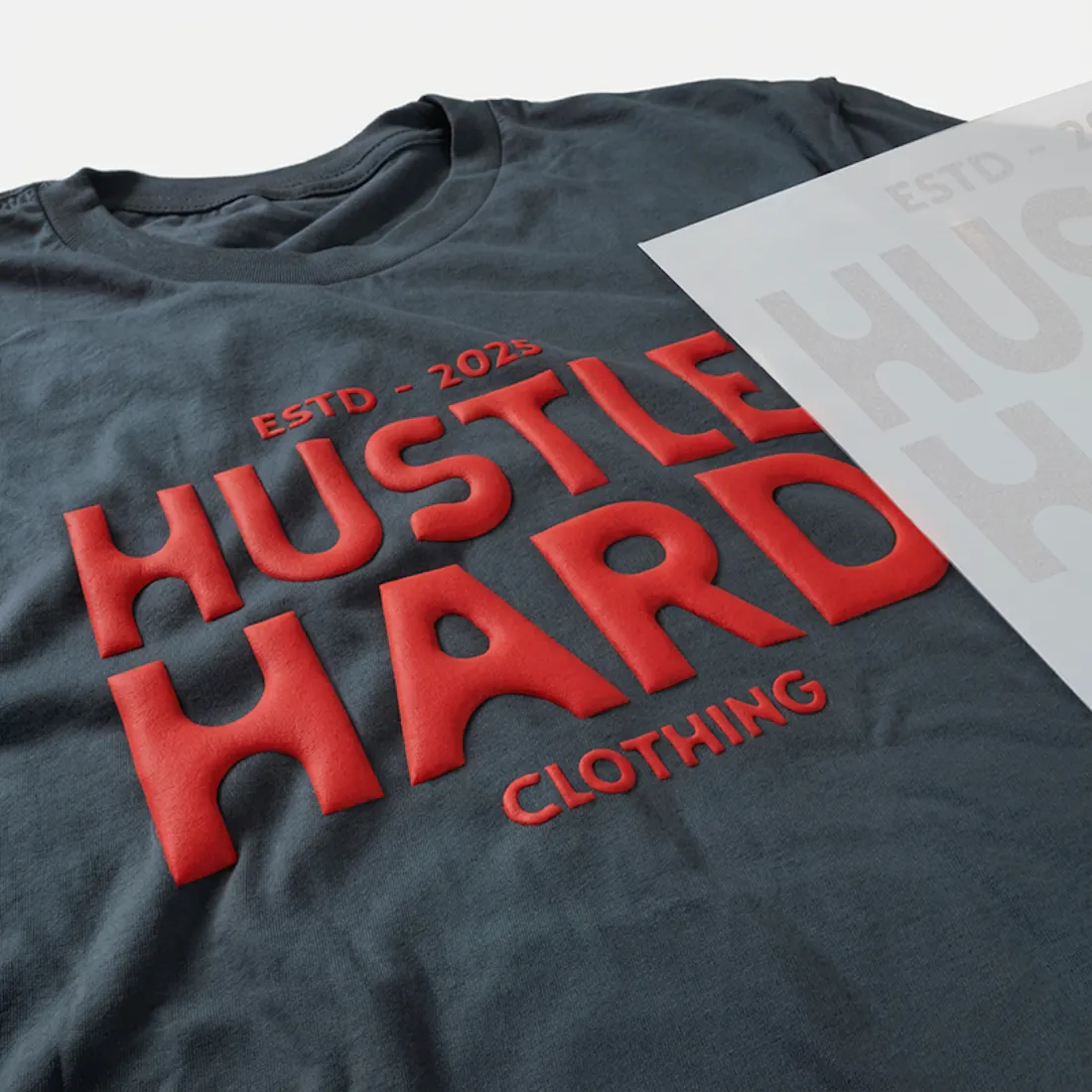
Elevate your designs with our 3D Puff transfers! Add a distinctive, puffy texture to your one-color artwork using our screen-printed Puff transfers. Perfect for any material.
Looking to add Glitter to your Puff? Click Here
Upload Your Artwork
Upload your file
File should be an image Like
Upload your file(s)
Drag and drop file(s) here or click to browseLogin to see your designs
Please WaitLog in to see your designs
Sign in to browse and re-use artwork from your previous orders and uploads.
LoginWhat would you like to create?
Start your next project by choosing one of the options below, or jump straight into a blank canvas.
Sharpening the katana…
UPLOADING
0%
We’re making sure your upload is perfect for printing.
Cancel upload
Cropped size 0.00" x 0.00"
We have detected that your image has a low DPI and may result in poor print quality at larger sizes
After uploading
Choose your Size, Color & Quantities, and view your price
Upload your art
After uploading
Choose your Size & Quantity, and view your Price.
-
Art Requirements
-
AI Template
-
PDF Template
Ninja Rewards!
Great news! You're automatically enrolled in Ninja Rewards with your first purchase, no sign up required. You'll start earning points immediately, making it easy to enjoy rewards from the beginning!
If you're already a member log in at checkout to earn and redeem points.
Product Details
Our Puff Screen Printed Heat Transfers are made by screen printing specialty plastisol ink onto paper. When heated, the ink expands to create a striking 3D puffed effect. These transfers give you the textured height you want without the hassle of weeding vinyl. Just use a heat press and our premium transfers to bring your design to life!
Features
- Versatile Fabric Compatibility: Printed with the highest quality inks and film to give you the brightest colors on 100% Cotton, Cotton/Poly, Canvas and Tri-Blended fabrics.
- Professional-Grade Quality: Achieve retail-quality results at home with our 100% screen-printed transfers, ideal for creating bold, trendy, and dimensional designs.
- Expert Design Review: Every order is meticulously reviewed by one of our 50+ professional designers, optimizing your print and offering assistance with background removal or other cleanup based on your notes.
- Satisfaction Guaranteed: We stand by our work with a 100% satisfaction guarantee—if you’re not happy, we’ll reprint your order at no extra cost!
Satisfaction Guarantee
We stand behind the quality of every transfer and sticker we print. If you’re not completely satisfied, we’ll reprint your order with a new or revised file at no cost to you.
Pressing Instructions
Click here to watch our step-by-step 3D Puff pressing instructions.
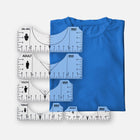
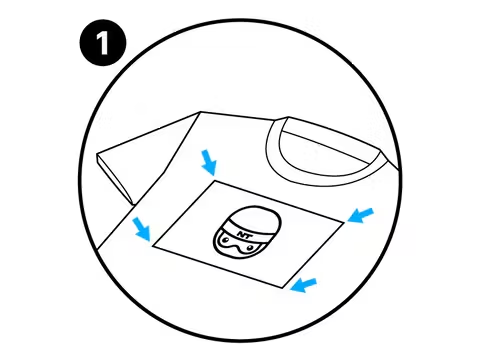
- Position Your Design Face Down: Take your time to line up your transfer in the desired location on your item. Normally, there is no need to use heat-resistant tape on flat heat presses to keep your design in place, however it is highly recommended when pressing transfers onto hats or when using an iron to keep the transfer in place. You’ll get a feel for when this is needed. For more precise positioning, use our DTF Alignment Ruler Set.
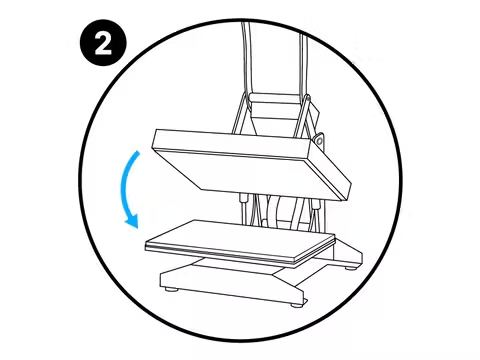
- Press: Press your transfer with heavy pressure at 350°F / 175°C for 7 seconds.
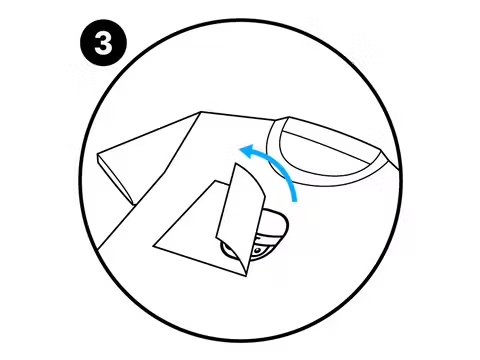
- Peel: 3D Puff Transfers are a Hot Peel that needs to be peeled immediately.
Care Instructions
For optimal care of puff transfers, we recommend the following steps:
- Turn the garment inside out before washing.
- Use cold water for washing.
- Air dry the garment or tumble dry on a low setting.
Following these guidelines will help preserve the quality and longevity of the print.
Shipping & Returns
All Puff orders ship UPS Ground 1-3 days after purchase. Orders over $99 will automatically qualify for Free Shipping.
Read our Shipping Policy for more information.
Refunds & Reprints
Contact us within 45 days of receiving your order to submit a request for a refund or reprint. We will reprint any order where there is a print quality or adherence issue. However, we will not issue a reprint if the uploaded file is low quality. If you'd like a refund or reprint for another reason, it must be approved by management first.
Art Upload Recommendations
All file types are accepted. Vector files are recommended for the best results, and raster artwork should be at least 300 DPI. For optimal color accuracy and vibrancy, we recommend designing in the Adobe RGB (1998) color profile.
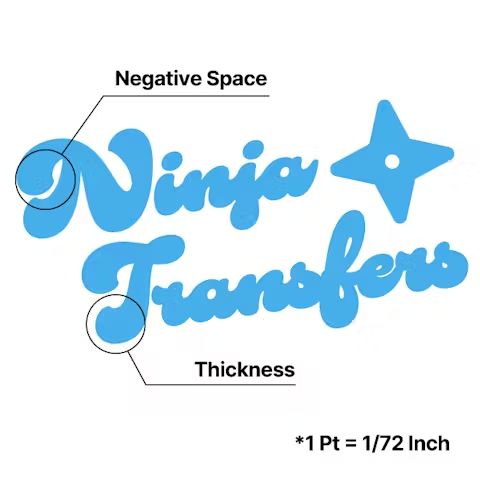
Minimum Size: While DTF handles fine details well, elements smaller than 0.02 inches (0.5mm) may not transfer properly.
Tip: If you're using Canva or Procreate, exporting your document as a PDF is recommended.
Art Requirements
Avoid Multi-Color Designs
Focus on Bold Texts
Define Margins
Application Instructions
Place
Press
Peel
Overall rating: 4.9270825 / 5 from 23218 reviews.
AI Generated Review Summary
Customers praise the 3D Puff Transfers for their unbeatable prices, quick delivery, and vibrant colors. The product is highly recommended for its top-notch quality, excellent service, and beautiful prints.
Summary topics
- Price (4%): It was highlighted by customers that the prices for the product were great, unbeatable, and affordable.
- Order Accuracy (11%): Customers appreciated the quick delivery service and accurate order of the dtf transfer, with many expressing their intention to order again.
- Transfer Quality (22%): Customers keep praising the Ninja Transfers, stating that they love their transfers and highly recommend them.
- Shipping Speed (14%): Customers expressed appreciation for the fast shipping, with multiple reviews mentioning quick delivery and excellent customer service.
- Color Vibrancy (9%): Customers loved the amazing and vibrant colors of the gang sheets, as well as the quick and reliable processing times.
Review topics: ["size","colors","material","image","durability","quality","look","issues","feel","cut","difference","support","detail","design","results","set","speed","value","outcome","order","prints","lines","shipping","shirts","builder","experience","use","work","service","package"].
Review highlights
- "Great customer service" — Krafty K.
- "The order I placed from Ninja was great - great quality prints and fast shipping as well!" — Katie V.
- "Great quality transfers, prices are fantastic and customer service is outstanding!" — Julia M.
Reviews
Perfect images, hard application
"The transfers were colorful and captured my designs perfectly. However,I I do not own a heat transfer apparatus, so I used an iron, it was difficult to adjust the temp and many transfers didn't stick and lifted off the material when peeling the backing off. Is there a better way of transferring the design?"
— Donna H. (5/5)
The best
"I am thoroughly satisfied with this product and highly recommend it. It has a visually appealing design that enhances the appearance of my T-shirts. I intend to purchase additional DTF transfer materials. The process of applying the transfer to the T-shirts was straightforward and efficient, requiring only a standard iron."
— Sound L. (5/5)
Custom ray for rash guard
"So easy to use AI on site to create my version of a spotted eagle Ray to commemorate my trip to Belize! Couldn’t find the right clipart, the right premade product, and Ninja was my answer. Decal transferred beautifully to my rash guard, silicon Matt available to purchase at the same time amazing-no worry about melting my garment, worked with Customer Service too update shipping costs. Looking forward to working with this company again."
— Veronica G. (5/5)
Excellent
"Great quality and very easy to use. The instructions were simple, and the transfer came out really nice. My only issue was the sizing. The one I ordered for my husband’s 5X shirt was a little too small, so the sizing can be a bit confusing. Other than that, I was very happy with my order and would purchase again."
— Harold I. (5/5)
Great transfer
"My first time ordering was a little confusing, especially figuring out how to order a full sheet of the same design. I actually needed ChatGPT to walk me through the process. But once my order arrived, the transfers were super easy to iron on and they look great! I’m really happy with how they turned out and will definitely be ordering from Ninja Transfers again."
— Omar O. (5/5)
DTF Perfection
"I recently ordered DTFs, UV DTFs and blanks from Ninja Transfers. I’m impressed with how easy it is to upload the images and resize if needed. They have sample sizes for different blanks that are helpful if ordering the same dtf for different purposes. I received the DTFs in the time frame promised, which was July 2nd, since Friday was a holiday. The DTFs pressed perfectly and I love the quality. Definitely recommend!"
— Carol M. (5/5)
Ninja DTF, beautiful!
"More than a few orders down with Ninja and the DTF transfers have beautiful and perfect every single time! The colors are bright and look great. Easy to use and they look great! Fast, safe shipping! Our club members love them! The app and uploading is easy and quick."
— Bradley M. (5/5)
1st time purchase
"I was looking for an inexpensive option to get some promotional shirts made for my business. Ninja transfers popped up on my feed so I tried it. Awesome deal!! I got my design, ordered shirts and hats and it took me about an hour to make a dozen shirts double sided and 2 hats. Real easy and high quality. It's a great way to promote your business. I'll be ordering more soon."
— bob L. (5/5)
so easy and came out perfect!
"i used these on cotton tshirts and polyester/spandex blend tank top and shorts and it all came out so good! i just used an iron bc i couldn’t get a heat press and it worked perfectly fine. my advice is to let it cool more than a few seconds before peeling it off."
— Erika S. (5/5)
First DTF Transfers
"This was my first time ordering DTF transfers so I was nervous. I didn't realize how easy building the gang sheet and pressing would be! As soon as I opened the box, I was impressed by the vibrant colors, then when pressed (only 13 sec!) even more impressed that the details and colors retained the same vibrancy as when I created the art! I will be ordering more!"
— Stephanie J. (5/5)
Q&A
- Should I remove the silicone garment protector when heat pressing puff DTF?
- Yes, our puff transfers won't adhere or puff properly if anything is off with the temperature or pressure.
- is it recommended to do the second press like the regular DTF transfers. If so, for how many seconds
- No, our puff transfers should only be pressed once. You'd press them with heavy pressure at 350°F for 7 seconds and then immediately peel when finished.
- What’s the recommended press heat for puff DTF? The card instructions that came with my order says 350 deg for 20 seconds but on the website it says 300 deg
- Great question! The instruction card references our normal DTF transfers, but the instructions here are accurate - 350 degrees for 7 seconds should have your transfers puffing successfully! https://ninjatransfers.com/pages/heat-press-instructions-for-3d-puff-transfers
- Can the 3D puff be printed in custom colors or only in the colors provided
- We only offer the colors provided on the site for our puff transfers at the moment. Keep checking back in for more color options!
- Hi! I’d like to know what is the maximum sheet size available for 3D Puff transfers. Can I fit multiple designs into that maximum size sheet and print a minimum of 10 full sheets with different designs inside each? Thank you in advance!
- Our largest sheet size for Puff Transfers is 12" x 17" and you can think of that as your canvas - you can your file up with a variety of designs that fit in that space. All printed transfers would have the same designs overall, you wouldn't be able to submit 10 different sheets.
-
DTF Transfers
-
UV DTF 3D PermaStickers
-
Specialty DTF
-
Stickers & More
- Consumables
-
Free Tools & Designs
-
Support
- FAQs
Official Partner of the Philadelphia 76ers
Chat
Available 24 hours a Day. 7 days a Week. 365 Days a Year.
Phone
Mon-Fri: 8:00am - 12:00am EST
Sat-Sun: 9:00am - 5:00pm EST
2727 Commerce Way
Suite 100
Philadelphia, PA 19154
Ninja Fast Delivery from Both Coasts
Edit with AI
×
Transforming your image
with AI magic
As we cannot control the results of AI tools, we disclaim all liability and you assume full responsibility when using this feature in compliance with trademark and copyright law and our terms of service.
Our AI Editor can do ALMOST anything. Describe the changes you’d like to make.
Not quite right?
Start OverRemove File?
Leave the AI Editor?
Your AI edits haven't been saved yet. Want to keep working on them?
Customer Login
Reset your password
We will send you an email to reset your password.
Remove File
Remove File
Are you sure you would like to remove this file?
Remove File?
Are you sure you would like to remove this file?
Your Designs
My Designs
No designs found
Try adjusting your filters or upload a new design.
Delete Permanently
This will permanently delete from your account. The design file cannot be recovered or restored — this cannot be undone.
Archive Design
Are you sure you want to archive ""? You can restore it later from the Archive tab.
Loading image, may take a few seconds
Ordering options
UV By Size
+ Order now
Puff Transfer
+ Order now
Vinyl Stickers
+ Order now
Spangle Transfer
+ Order now
Custom Magnets
+ Order now
Soft Vinyl Keychains
+ Order now
Truck Stickers
+ Order now
Bumper Stickers
+ Order now
3D Glitter Puff
+ Order now
Indoor Floor Graphics
+ Order now
Outdoor Floor Graphics
+ Order now
Window Clings
+ Order now
Low Tac Wall Graphics
+ Order now
Ninja Design Library
What do you want to make?
Not sure where to start? Tap an idea below, or describe your own.
Recently Generated
Background
Adjustable Filters
Color Effects
Layers
Add
Choose Add Text or Upload Image from the top menu.
Edit
Click an existing object to open its property editor.
Organize
Manage element order in Layers and adjust your artboard under Canvas.
Example Prompt
Example Output
What would you like to create?
Start your next project by choosing one of the options below, or jump straight into a blank canvas.
Edit with AI
×
Transforming your image
with AI magic
As we cannot control the results of AI tools, we disclaim all liability and you assume full responsibility when using this feature in compliance with trademark and copyright law and our terms of service.
Our AI Editor can do ALMOST anything. Describe the changes you’d like to make.
Not quite right?
Start OverRemove File
Leave the AI Editor?
Your AI edits haven't been saved yet. Want to keep working on them?
Remove File
Changes you made may not be saved.
Remove Pre Cut Option
Are you sure you want to remove the Pre-Cut option from all of your DTF Transfers by Size items in your cart?
Decorate Your Shirts With DTF Transfers
- Print Anything on Anything
- No Minimums or Setup Fees
- Next Day Delivery
Did you mean to visit our UK site?
It looks like you’re visiting from the UK or Ireland. Would you like to head over to our UK store instead?


