




















Applying Ninja Transfers with an Iron
Set your Iron to a temperature that matches the fabric you're using with hard pressure. Press for ~20 seconds. Peel after 5 seconds, hot or cool. Second Press for 20 seconds.
We recommend watching the video above for step-by-step pressing instructions

1. Position Your Design
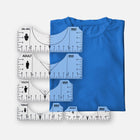
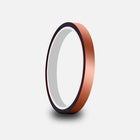
Take your time and line up your artwork in the desired print area. To ensure your transfer doesn't move while ironing it onto the garment, use our Thermal Heat Tape to secure it.

2. Press
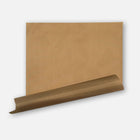
Set your iron to the highest temperature recommended for your garment. Place a piece of parchment paper over the transfer and apply firm pressure for about 20 seconds. When using an iron, focus on one section of the design at a time, moving slowly across the entire graphic to ensure even heat and pressure. If any part of the transfer isn’t adhering, lay it back down and press again with additional pressure and time.

3. Peel Hot After a Few Seconds
With our proprietary Ninja Peel Technology, you can peel hot or cool. Wait a few seconds (or longer) and peel. If any part of the design lifts while peeling, lay the transfer back down and press again with firm pressure for another 10–15 seconds.

4. Final Press
Place the parchment paper included or a single layer of t-shirt material over the design and press again for 15 seconds to soften the design, increase durability, and remove shine.
If you want a shinier finish instead, you can use our Protective Guard Sheet for this result.


