Price Calculator
Transferencias DTF por tamaño
Add a DTF Sample Pack to Cart - $0.01 - Add to Cart
¡Maximice su descuento! Obtenga hasta un 50 % de descuento al combinar DTF Transfers y UV DTF PermaStickers con nuestro Descuento acumulativo.
Upload your file
File should be an image Like
Upload your file(s)
Drag and drop file(s) here or click to browseLogin to see your designs
Please Wait
We're making sure your upload is perfect for printing.
This may take a few seconds.
Cropped size 0.00" x 0.00"
We have detected that your image has a low DPI and may result in poor print quality at larger sizes
Upload your art
After uploading
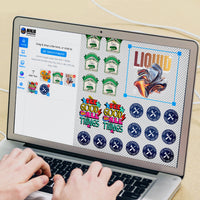
Choose your Size & Quantity, and view your Price.
-
Art Requirements
-
AI Template
-
PDF Template
Ninja Rewards!
Great news! You're automatically enrolled in Ninja Rewards with your first purchase, no sign up required. You'll start earning points immediately, making it easy to enjoy rewards from the beginning!
If you're already a member log in at checkout to earn and redeem points.
Complete your order with Blanks
Tomorrow
Gildan G500 Algodón Pesado Adulto 5.3 oz. Camiseta
starting at
Camiseta de punto unisex Bella + Canvas 3001C
starting at
Gildan G185 Adulto Heavy Blend 50/50 Sudadera con capucha
starting at
Gildan G500B Camiseta de algodón grueso para jóvenes
starting at
Camiseta ajustada de mujer Bella + Canvas 6004
starting at
Gildan G880 Adulto 50/50 Jersey Polo
starting at
Gildan G500L Camiseta de algodón grueso para mujer
starting at
Hanes P180 Adulto EcoSmart 50/50 Sudadera con capucha y cremallera completa
starting atProduct Details
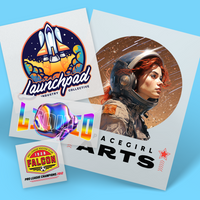
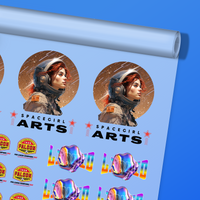
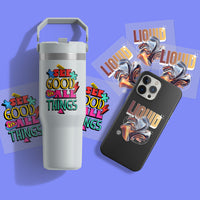
Experimente la calidad profesional de la mano de Ninja Transfers: el proveedor líder de transferencias DTF personalizadas de la industria. Nuestras transferencias DTF (Direct to Film) de alta calidad permiten que cualquier persona, desde pequeñas hasta grandes tiendas, aficionados y marcas, pueda imprimir cualquier diseño en cualquier producto. Prácticamente no hay límite en lo que podemos imprimir, ya sea que necesite blanco brillante, sólidos, degradados o líneas finas. ¿No tiene su propio diseño? Ahora puede crear sus propias transferencias con nuestrasGenerador de transferencias Ninja DTF.
Features
- Impreso con tintas, películas y polvo Kodak TPU de la más alta calidad para brindarle los blancos y colores más brillantes en cualquier tipo, material, color o elasticidad de prenda.
- Hemos probado enérgicamente nuestras transferencias en una variedad de prendas con pruebas de lavadora y secadora. La tinta nunca se escurrirá de las transferencias a las prendas y hemos obtenido resultados de hasta 60 pruebas de lavado antes de la degradación.
- Cada pedido es revisado por uno de nuestros más de 50 diseñadores profesionales para garantizar una impresión adecuada y optimizada con la capacidad de ayudarlo con la eliminación del fondo u otra limpieza si nos deja notas al finalizar la compra.
- ¡Cada pedido tiene una satisfacción del 100% garantizada o reimprimiremos su pedido por usted!
Satisfaction Guarantee
We stand behind the quality of every transfer and sticker we print. If you’re not completely satisfied, we’ll reprint your order with a new or revised file at no cost to you.
Pressing Instructions
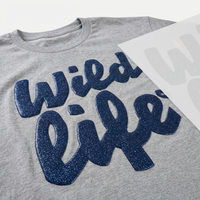
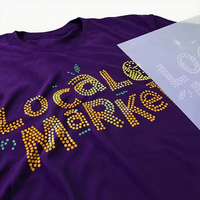
We recommend watching our step-by-step spangle pressing video tutorial here.
1. Prepare the Spangle Transfer
Carefully peel off the transfer's backing, ensuring that only the spangle design remains on the clear adhesive sheet. Handle the transfer gently to prevent shifting or misalignment. Before applying, check that the design is intact and free from dust or debris to ensure a smooth and even press.
2. Position the Transfer
Place the transfer adhesive side down onto the garment in your desired location, ensuring it is properly aligned. Smooth out any bubbles or wrinkles to create an even application and prevent lifting during pressing. If necessary, use heat-resistant tape to keep the transfer securely in place. Use our Alignment Ruler Set for more precise placement.
3. Press
Set the heat press to 300°F - 315°F, and apply medium to firm pressure for 12-15 seconds. If you're using our Silicone Upper Platen Cover, set your heat press to 330°F.
4. Peel the Transfer
Allow the garment to sit for 15-30 seconds, giving the adhesive time to set. Then, carefully peel the carrier sheet while it is still warm, using a smooth and steady motion to prevent lifting. After peeling, inspect the design to ensure all spangles have adhered properly for a flawless finish.
Shipping & Returns
All Spangle orders ships in 6 business days. Orders over $75 will automatically qualify for Free Shipping.
Read our Shipping Policy for more information.
Refunds & Reprints
Contact us within 45 days of receiving your order to submit a request for a refund or reprint. We will reprint any order where there is a print quality or adherence issue. However, we will not issue a reprint if the uploaded file is low quality. If you'd like a refund or reprint for another reason, it must be approved by management first.
Art Upload Recommendations
All file types accepted, vector files are always preferred, raster art should be at least 300 DPI.
Tip: If you're using Canva or Procreate, we recommend exporting your documents as PDFs
Minimum Size: While DTF handles fine details well, elements smaller than 0.02 inches (0.5mm) may not transfer properly
Bold Designs
Primary Colors
Consider the Details
Ninja Transfers Customer Feedback
-
DTF Transfers
-
UV DTF 3D PermaStickers
-
Specialty DTF
-
Stickers & Magnets
-
Free Tools & Designs
-
Support
- FAQs
Su nueva tienda integral de transferencias DTF.
709 N 2nd St
habitación 400
Filadelfia, Pensilvania 1912
Ninja Fast Delivery from Both Coasts
Ingresar
Restablecer contraseña de cuenta
Te enviaremos un email para restablecer tu contraseña.
Remove File
Are you sure you would like to remove this file?
Remove File
Are you sure you would like to remove this file?
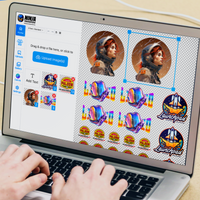
Use our AI image generator to create stunning logos and designs. Short or long prompts, just try it.
Ai prompt guideBackground
Adjustable Filters
Color Effects
Layers
Add
Choose Add Text or Upload Image from the top menu.
Edit
Click an existing object to open its property editor.
Organize
Manage element order in Layers and adjust your artboard under Canvas.
Example Prompt
Example Output
Remove File
Changes you made may not be saved.
Remove Pre Cut Option
Are you sure you want to remove the Pre-Cut option from all of your DTF Transfers by Size items in your cart?
Decorate Your Shirts With DTF Transfers
- Print Anything on Anything
- No Minimums or Setup Fees
- Next Day Delivery