
Price calculator
Price Calculator
3D Puff Transfers - 1 Color Print
Add a DTF Sample Pack to Cart - $0.01 - Add to Cart
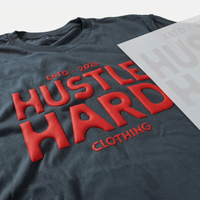
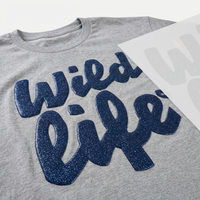
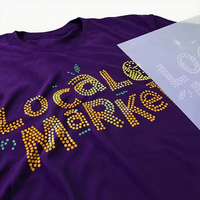
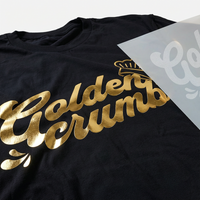
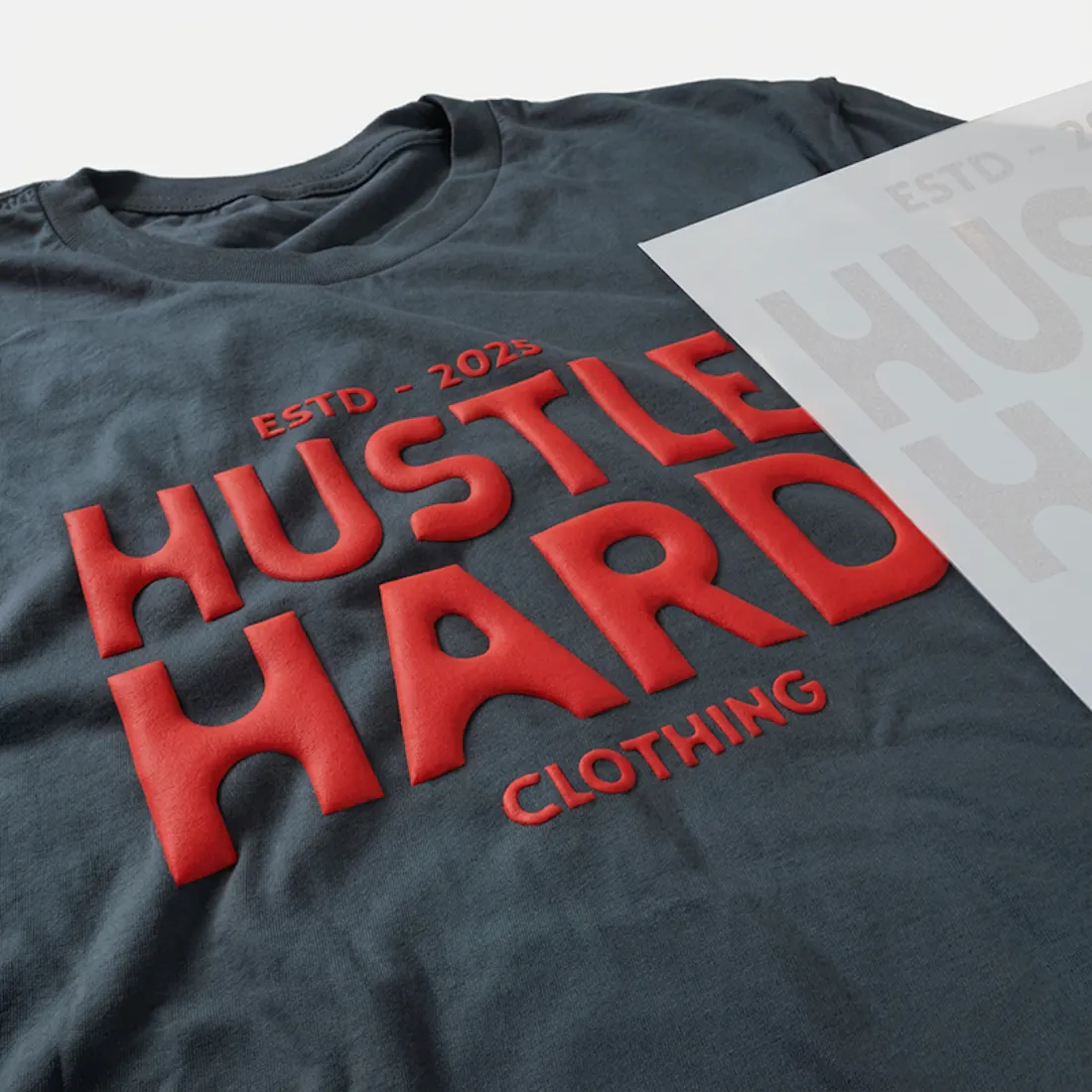
Elevate your designs with our 3D Puff transfers! Add a distinctive, puffy texture to your one-color artwork using our screen-printed Puff transfers. Perfect for any material.
Looking to add Glitter to your Puff? Click Here
Upload Your Artwork
Upload your file
File should be an image Like
Upload your file(s)
Drag and drop file(s) here or click to browseLogin to see your designs
Please WaitLog in to see your designs
Sign in to browse and re-use artwork from your previous orders and uploads.
LoginWhat would you like to create?
Start your next project by choosing one of the options below, or jump straight into a blank canvas.
Sharpening the katana…
UPLOADING
0%
We’re making sure your upload is perfect for printing.
Cancel upload
Cropped size 0.00" x 0.00"
We have detected that your image has a low DPI and may result in poor print quality at larger sizes
After uploading
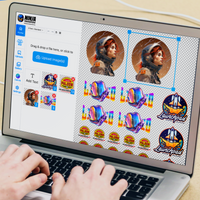
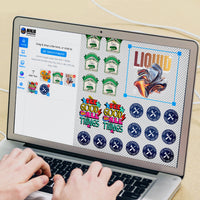
Choose your Size, Color & Quantities, and view your price
Upload your art
After uploading
Choose your Size & Quantity, and view your Price.
-
Art Requirements
-
AI Template
-
PDF Template
Ninja Rewards!
Great news! You're automatically enrolled in Ninja Rewards with your first purchase, no sign up required. You'll start earning points immediately, making it easy to enjoy rewards from the beginning!
If you're already a member log in at checkout to earn and redeem points.
Product Details
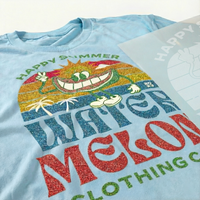
Our Puff Screen Printed Heat Transfers are made by screen printing specialty plastisol ink onto paper. When heated, the ink expands to create a striking 3D puffed effect. These transfers give you the textured height you want without the hassle of weeding vinyl. Just use a heat press and our premium transfers to bring your design to life!
Features
- Versatile Fabric Compatibility: Printed with the highest quality inks and film to give you the brightest colors on 100% Cotton, Cotton/Poly, Canvas and Tri-Blended fabrics.
- Professional-Grade Quality: Achieve retail-quality results at home with our 100% screen-printed transfers, ideal for creating bold, trendy, and dimensional designs.
- Expert Design Review: Every order is meticulously reviewed by one of our 50+ professional designers, optimizing your print and offering assistance with background removal or other cleanup based on your notes.
- Satisfaction Guaranteed: We stand by our work with a 100% satisfaction guarantee—if you’re not happy, we’ll reprint your order at no extra cost!
Satisfaction Guarantee
We stand behind the quality of every transfer and sticker we print. If you’re not completely satisfied, we’ll reprint your order with a new or revised file at no cost to you.
Pressing Instructions
Click here to watch our step-by-step 3D Puff pressing instructions.
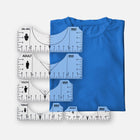
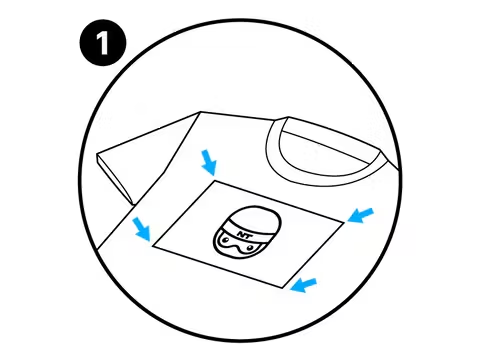
- Position Your Design Face Down: Take your time to line up your transfer in the desired location on your item. Normally, there is no need to use heat-resistant tape on flat heat presses to keep your design in place, however it is highly recommended when pressing transfers onto hats or when using an iron to keep the transfer in place. You’ll get a feel for when this is needed. For more precise positioning, use our DTF Alignment Ruler Set.
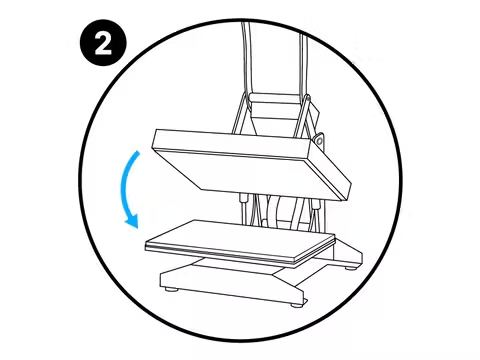
- Press: Press your transfer with heavy pressure at 350°F / 175°C for 7 seconds.
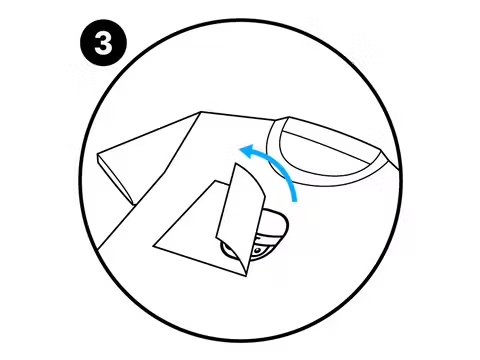
- Peel: 3D Puff Transfers are a Hot Peel that needs to be peeled immediately.
Care Instructions
For optimal care of puff transfers, we recommend the following steps:
- Turn the garment inside out before washing.
- Use cold water for washing.
- Air dry the garment or tumble dry on a low setting.
Following these guidelines will help preserve the quality and longevity of the print.
Shipping & Returns
All Puff orders ship UPS Ground 1-3 days after purchase. Orders over $99 will automatically qualify for Free Shipping.
Read our Shipping Policy for more information.
Refunds & Reprints
Contact us within 45 days of receiving your order to submit a request for a refund or reprint. We will reprint any order where there is a print quality or adherence issue. However, we will not issue a reprint if the uploaded file is low quality. If you'd like a refund or reprint for another reason, it must be approved by management first.
Art Upload Recommendations
All file types are accepted. Vector files are recommended for the best results, and raster artwork should be at least 300 DPI. For optimal color accuracy and vibrancy, we recommend designing in the Adobe RGB (1998) color profile.
Minimum Size: While DTF handles fine details well, elements smaller than 0.02 inches (0.5mm) may not transfer properly.
Tip: If you're using Canva or Procreate, exporting your document as a PDF is recommended.
Art Requirements
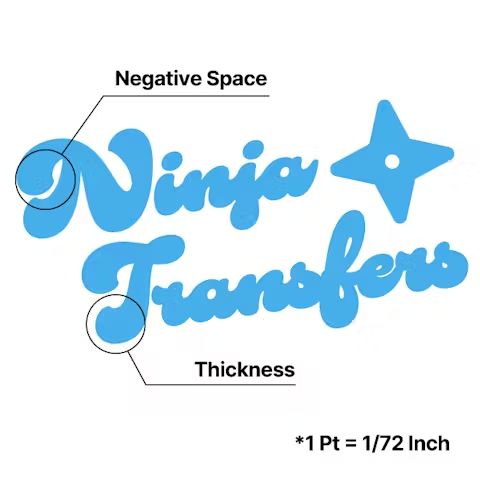
Avoid Multi-Color Designs
Focus on Bold Texts
Define Margins
Application Instructions
Place
Press
Peel
Overall rating: 4.9243584 / 5 from 21430 reviews.
AI Generated Review Summary
Customers praise the 3D Puff Transfers for their unbeatable prices, quick delivery, and vibrant colors. The product is highly recommended for its top-notch quality, excellent service, and beautiful prints.
Summary topics
- Price: 4%
- Order Accuracy: 11%
- Transfer Quality: 22%
- Shipping Speed: 14%
- Color Vibrancy: 9%
Review topics: ["size","colors","material","image","durability","quality","look","issues","feel","cut","difference","support","detail","design","results","set","speed","value","outcome","order","prints","lines","shipping","shirts","builder","experience","use","work","service","package"].
Review highlights
- "Great customer service" — Krafty K.
- "The order I placed from Ninja was great - great quality prints and fast shipping as well!" — Katie V.
- "Great quality transfers, prices are fantastic and customer service is outstanding!" — Julia M.
Reviews
DTF Perfection
"I recently ordered DTFs, UV DTFs and blanks from Ninja Transfers. I’m impressed with how easy it is to upload the images and resize if needed. They have sample sizes for different blanks that are helpful if ordering the same dtf for different purposes. I received the DTFs in the time frame promised, which was July 2nd, since Friday was a holiday. The DTFs pressed perfectly and I love the quality. Definitely recommend!"
— Carol M. (5/5)
Amazing product and amazing customer service
"This was my first time submitting artwork for a transfer. It was a learning lesson but Ninja not only helped me fix it but reprinted for free. Next day delivery and you can pick up the phone and talk to a person any time. I think they must work 24/7. Thanks Ninja. And great packaging too. Top level"
— Cynthia a. (5/5)
Great experience!
"I wanted to make t shirts for our group trip of 25 coming up but ordering them was so expensive and I couldn’t be sure of the quality of the shirt. The gang sheet allowed me to get exactly the design I wanted and have the ability to easily put them on the shirts I chose. The entire process was so easy and the tools on the app allowed me to remove the background of the design I made. Such an easy ordering process and so easy to transfer the design. I will absolutely use this service in the future!"
— Jennifer S. (5/5)
Always Right!
"I am truly impressed by the quality of the transfers and blank apparel. The colors the choices, everything is always right. Unfortunately I did receive one blank that had a hole in it. Other than that I've had no problem. I ordered transfers that were too small, they immediately got credited my account and rushed out a new order. I would and have highly recommended Ninja Transfers."
— Shirley S. (5/5)
They are top rated for a reason!
"This is the first time that I ordered from ninja transfers. I was so impressed with the vibrant colors. Also the ease of the background removal when I ordered. I also love that I got samples of their patches and stickers. I will definitely be ordering from them again in the future as as well as other products."
— Kristie D. (5/5)
I love my transfers. I
"I love my transfers. I am a first time user and had some problems with one of the images I had submitted. The team was very helpful in working with me to get the perfect image. I wish I would have looked closer to the second image I ordered as it has some defects, but that was my fault for submitting it that way. The transfers are very colorful and after I made my first T-shirt, I absolutely love them!"
— Heather W. (5/5)
Great quality
"I had an amazing experience with DTF Ninja! I designed my shirt in Canva and had my design printed as a DTF transfer. The quality exceeded my expectations…the colors were vibrant, the print was sharp, and the finished shirt looked fantastic. I received so many compliments! The transfer was incredibly easy to iron on, even for a beginner, and it came with everything I needed, including clear instructions and video. I’ll definitely be ordering from DTF Ninja again for future projects. Highly recommend!"
— Yina M. (5/5)
Rush job, DTF Transfers
"The design process wasn't too difficult being I don't have any design experience. I was asked to make 40 t-shirts for my Uncle's 70th Birthday Celebration. The transfers came our very nice. Vivid colors, easy to press with my heat press. They weren't exactly hot peel as I had to wait about 1 minute before peeling backing off. Over all I'm happy with the product. I didn't charge him anything for this design since he paid for all the materials and this was my actual first time using this product."
— Nakita P. (5/5)
SUCH a great company!!!
"Very impressed with the combination of genuine real people with awesome communication, and such a quality product, quick turnaround, and easy to follow simple yet thorough directions. (LOVE that they included the parchment paper!) My first transfer was from a JPEG of a picture from my phone of a multi- colored dynamic acrylic painting. It came out just as brilliant as the painting, maybe even better!! Texture revealed and all!"
— Erin G. (5/5)
Great transfers and great customer service
"The transfers looked great and they arrived on time, well actually a day earlier. My issue was that this was my first order and the transfers had a few issues. Photos included. The great thing is, I called them and they gave me store credit to re-order and enough to do a rush order so that they would be in before my project was due. Great Great GREAT customer service. I just suggest you try and order them as soon as possible, Don’t wait until the last minute to order, just in case there are some mistakes. But my experience with getting them replaced and re-ordering was a smooth transition. Great company and great transfers. My customer loved how the shirts came out. ( last photo )"
— Niqua M. (5/5)
Q&A
- Should I remove the silicone garment protector when heat pressing puff DTF?
- Yes, our puff transfers won't adhere or puff properly if anything is off with the temperature or pressure.
- is it recommended to do the second press like the regular DTF transfers. If so, for how many seconds
- No, our puff transfers should only be pressed once. You'd press them with heavy pressure at 350°F for 7 seconds and then immediately peel when finished.
- What’s the recommended press heat for puff DTF? The card instructions that came with my order says 350 deg for 20 seconds but on the website it says 300 deg
- Great question! The instruction card references our normal DTF transfers, but the instructions here are accurate - 350 degrees for 7 seconds should have your transfers puffing successfully! https://ninjatransfers.com/pages/heat-press-instructions-for-3d-puff-transfers
- Can the 3D puff be printed in custom colors or only in the colors provided
- We only offer the colors provided on the site for our puff transfers at the moment. Keep checking back in for more color options!
- Hi! I’d like to know what is the maximum sheet size available for 3D Puff transfers. Can I fit multiple designs into that maximum size sheet and print a minimum of 10 full sheets with different designs inside each? Thank you in advance!
- Our largest sheet size for Puff Transfers is 12" x 17" and you can think of that as your canvas - you can your file up with a variety of designs that fit in that space. All printed transfers would have the same designs overall, you wouldn't be able to submit 10 different sheets.
-
DTF Transfers
-
UV DTF 3D PermaStickers
-
Specialty DTF
-
Stickers & More
- Consumables
-
Free Tools & Designs
-
Support
- FAQs
Official Partner of the Philadelphia 76ers
Chat
Available 24 hours a Day. 7 days a Week. 365 Days a Year.
Phone
Mon-Fri: 8:00am - 12:00am EST
Sat-Sun: 9:00am - 5:00pm EST
2727 Commerce Way
Suite 100
Philadelphia, PA 19154
Ninja Fast Delivery from Both Coasts
Edit with AI
×
Transforming your image
with AI magic
As we cannot control the results of AI tools, we disclaim all liability and you assume full responsibility when using this feature in compliance with trademark and copyright law and our terms of service.
Our AI Editor can do ALMOST anything. Describe the changes you’d like to make.
Not quite right?
Start OverRemove File?
Leave the AI Editor?
Your AI edits haven't been saved yet. Want to keep working on them?
Customer Login
Reset your password
We will send you an email to reset your password.
Remove File
Remove File
Are you sure you would like to remove this file?
Remove File?
Are you sure you would like to remove this file?
Your Designs
My Designs
No designs found
Try adjusting your filters or upload a new design.
Delete Permanently
Are you sure you want to delete ""? This action cannot be undone.
Archive Design
Are you sure you want to archive ""? You can restore it later from the Archive tab.
Loading image, may take a few seconds
Ordering options
UV By Size
+ Order now
Puff Transfer
+ Order now
Vinyl Stickers
+ Order now
Spangle Transfer
+ Order now
Custom Magnets
+ Order now
Soft Vinyl Keychains
+ Order now
Truck Stickers
+ Order now
Bumper Stickers
+ Order now
3D Glitter Puff
+ Order now
Indoor Floor Graphics
+ Order now
Outdoor Floor Graphics
+ Order now
Window Clings
+ Order now
Low Tac Wall Graphics
+ Order now
Ninja Design Library
What do you want to make?
Not sure where to start? Tap an idea below, or describe your own.
Recently Generated
Background
Adjustable Filters
Color Effects
Layers
Add
Choose Add Text or Upload Image from the top menu.
Edit
Click an existing object to open its property editor.
Organize
Manage element order in Layers and adjust your artboard under Canvas.
Example Prompt
Example Output
What would you like to create?
Start your next project by choosing one of the options below, or jump straight into a blank canvas.
Edit with AI
×
Transforming your image
with AI magic
As we cannot control the results of AI tools, we disclaim all liability and you assume full responsibility when using this feature in compliance with trademark and copyright law and our terms of service.
Our AI Editor can do ALMOST anything. Describe the changes you’d like to make.
Not quite right?
Start OverRemove File
Leave the AI Editor?
Your AI edits haven't been saved yet. Want to keep working on them?
Remove File
Changes you made may not be saved.
Remove Pre Cut Option
Are you sure you want to remove the Pre-Cut option from all of your DTF Transfers by Size items in your cart?
Decorate Your Shirts With DTF Transfers
- Print Anything on Anything
- No Minimums or Setup Fees
- Next Day Delivery